
This article explains how to use the Home Feed and Explore sections inside PlaylistFeed. Both are designed to help you discover new content, connect with others, and grow your network.
Home Feed
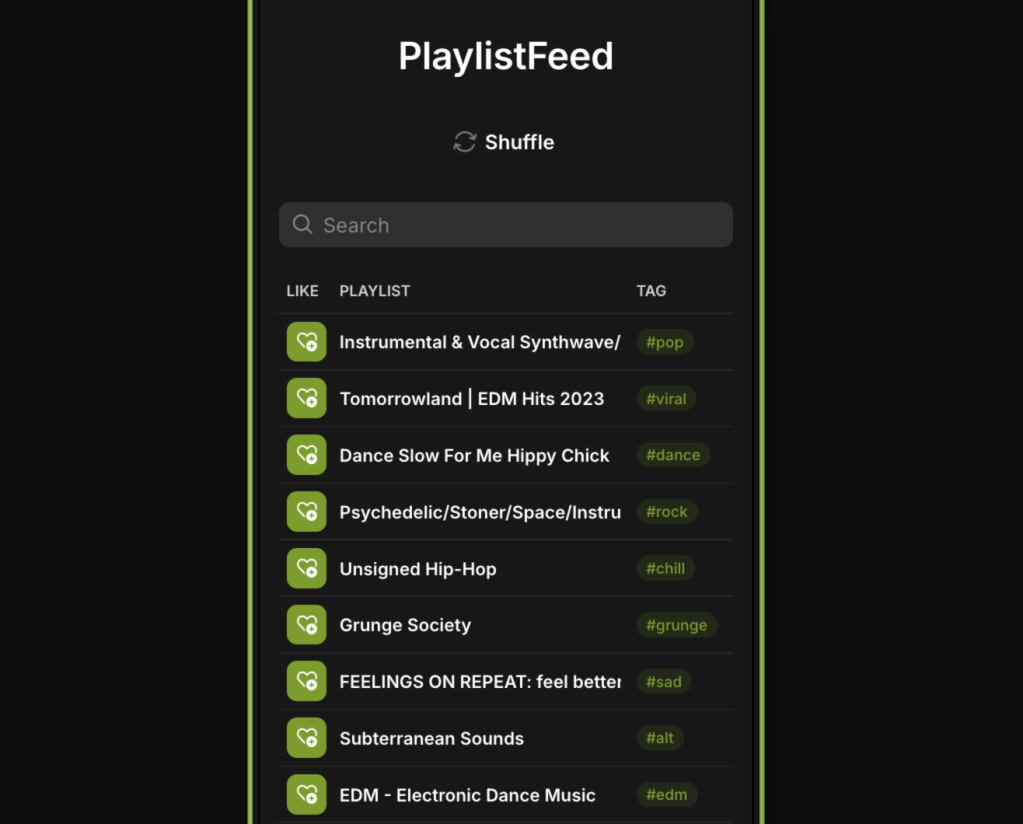
The Feed is the main screen you see after logging in. It shows real-time updates based on your activity and what’s happening across the platform.
You will see:
- Boosted playlists from across PlaylistFeed
- New playlists from users you follow
- Suggested playlists based on your activity
This feed updates automatically as new content is posted or boosted. It is personalized based on what you interact with, who you follow, and your submission or playlist history.
To appear in the Home Feed of others:
- Create and Boost a playlist
- Follow and interact with other users
- Stay active on the platform
The Home Feed is designed for real-time visibility. Boosted content gets priority placement.
Explore
The Explore page is where you can manually search and filter through playlists and users. It is designed for discovery.
From Explore, you can:
- Browse playlists by genre or mood
- View curator profiles
- Filter by Boosted status or submission availability
- Request to join a curator’s network (if enabled)
- Submit music (if accepted into a curator’s network)
Explore gives you access to the full catalog of active users on the platform. You can sort or filter results depending on what you’re looking for (e.g., genre-specific playlists, curators accepting submissions, etc.).
Tips
- Use the Home Feed to monitor live updates and submission activity
- Use Explore to search for new opportunities, connect with curators, and discover playlists
- Boost your playlists to appear in both sections
- Engage regularly (follow, save, like) to improve your visibility across the platform
- Keep your profile complete for better acceptance rates when submitting or requesting access
If you’re not seeing expected content in Home or Explore, or you believe there is a loading issue, please contact Support
 PlaylistFeed Help Center