
This article explains how playlists become visible to others on PlaylistFeed through the Feed and Explore sections. These are the two main discovery tools used by artists and curators to find active playlists.
Discovery Through Feed
The Home Feed shows a real-time stream of activity across the platform. Playlists appear in the Feed when:
- They are Boosted
- They are liked, saved, or followed by users
- The curator has recent network or submission activity
- The user is following the curator who posted the playlist
The Feed is personalized for each user based on their activity, followed accounts, and genre preferences. Boosted playlists get higher visibility in Feed and are prioritized for discovery.
Discovery Through Explore
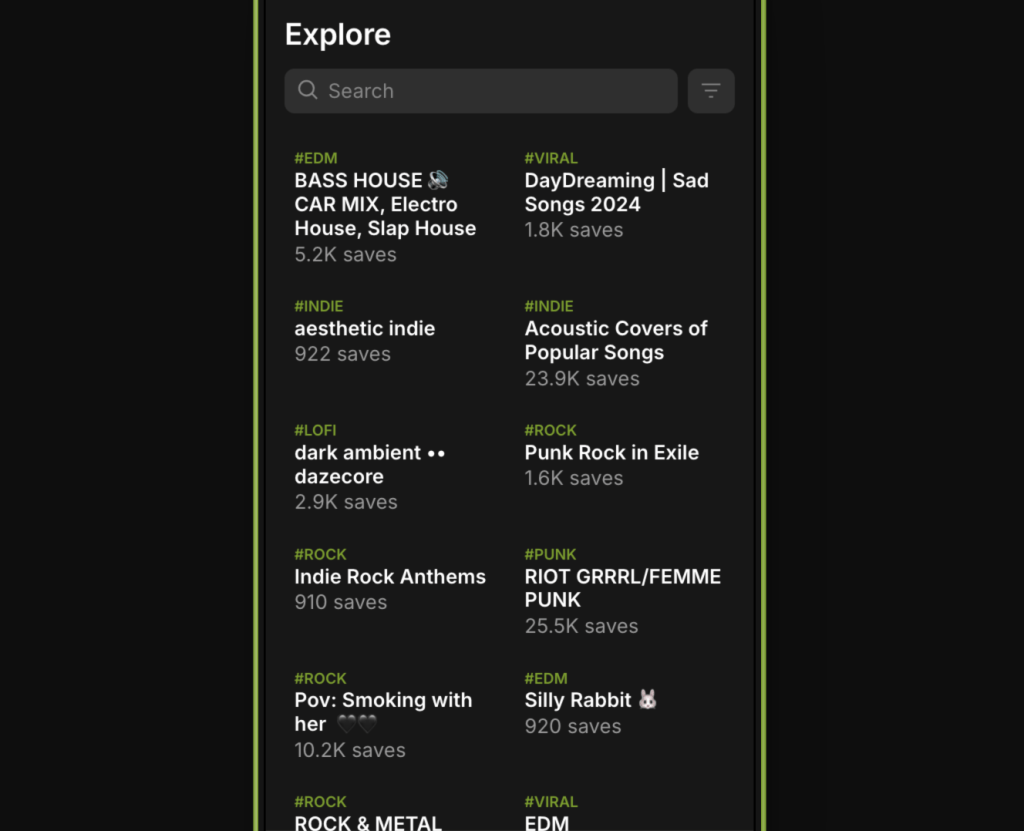
The Explore page allows users to manually search and filter playlists. A playlist appears in Explore when:
- It has been Boosted
- It matches the selected genre or mood filters
- It fits the user’s search terms (e.g., keywords in title or tags)
Explore results are not personalized, but sorted by filters like:
- Genre
- Mood
- Recently Boosted
- Most active curators
- Submission availability
Explore is often used by artists looking to find relevant curators to submit to or by users looking for niche playlists.
Requirements for Discovery
To ensure your playlist is eligible for discovery:
- Boost the playlist (required to show up in Feed or Explore)
- Add clear tags (mood and genre) to match filter results
- Write a short, accurate caption
- Keep your playlist public on Spotify
- Stay active by engaging with others on the platform
Notes
- Private or unboosted (Unlisted) playlists will not appear in Feed or Explore.
- Discovery depends on both visibility (via Boosts) and relevance (tags and activity).
- Boosting a playlist is the only way to make it discoverable.
 PlaylistFeed Help Center