
Discover playlists by genre, mood, and curator activity
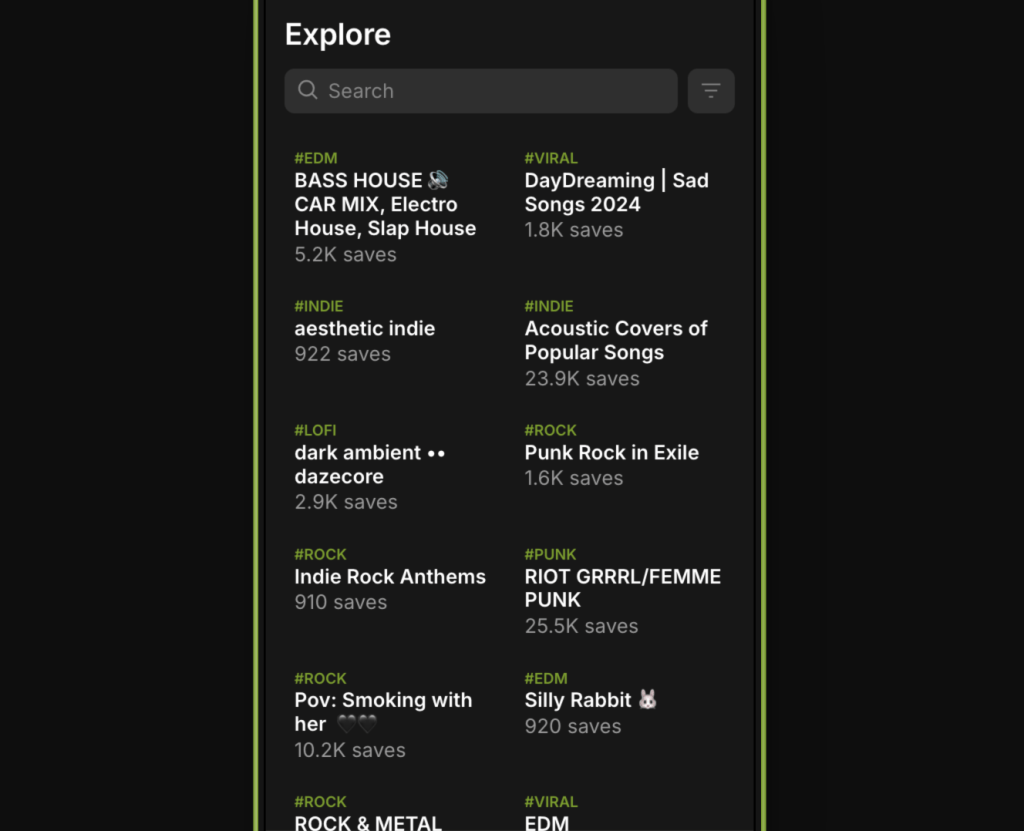
The Explore tab is designed for deeper discovery. It helps artists find the right playlists to submit to and allows users to browse Boosted content by category. Explore is ideal for targeting specific sounds, styles, or curators.
What You’ll Find in Explore
- Boosted Playlists across all genres and moods
- Filters to narrow down playlists by tag, category, and status
- Curator Profiles attached to each playlist
- Submission Status (open or closed) visible at a glance
Only playlists that have been Boosted appear in Explore.
How to Use Filters
You can filter playlists by:
- Genre (e.g. indie rock, trap, jazz)
- Mood (e.g. dark, upbeat, cinematic)
- Submission Access (open only or all)
- Sort Options (e.g. newest, most active, trending)
These filters help you quickly find playlists that match your style.
Explore vs Feed
- Feed is personalized and based on your behavior
- Explore is a broader, filterable search tool
- Use Feed for updates and Explore for targeted discovery
Tips for Using Explore
- Use genre + mood filters for precise targeting
- Open playlist pages to view curator bios, tags, and recent activity
- Prioritize playlists with active updates and clear focus
- Save and follow high-quality playlists for future submissions
 PlaylistFeed Help Center